Welcome to Taxo Tape
Applying Thermal Paste for Maximum Efficiency - Step-by-Step Guide
Introduction
Effective heat transfer is one of the most important factors in ensuring the reliability and performance of modern electronic devices. Thermal paste, also known as thermal compound or thermal grease, plays a vital role by enabling efficient heat flow between components and cooling solutions. Without it, even the most advanced heat sinks or fans cannot perform at their best.
Thermal paste is widely used in applications such as CPUs, GPUs, high-power electronic modules, and LED lighting systems. In these systems, surfaces may appear flat but actually contain microscopic gaps and imperfections. Without proper thermal paste application, these gaps trap air, which is a poor conductor of heat.
Incorrect use of thermal paste can lead to overheating, reduced system efficiency, and even premature failure. Too much paste creates unnecessary mess and may cause electrical leakage in conductive types, while too little paste leads to poor coverage and hot spots. In both cases, the device’s performance and lifetime are compromised.

What Is Thermal Paste and How It Works
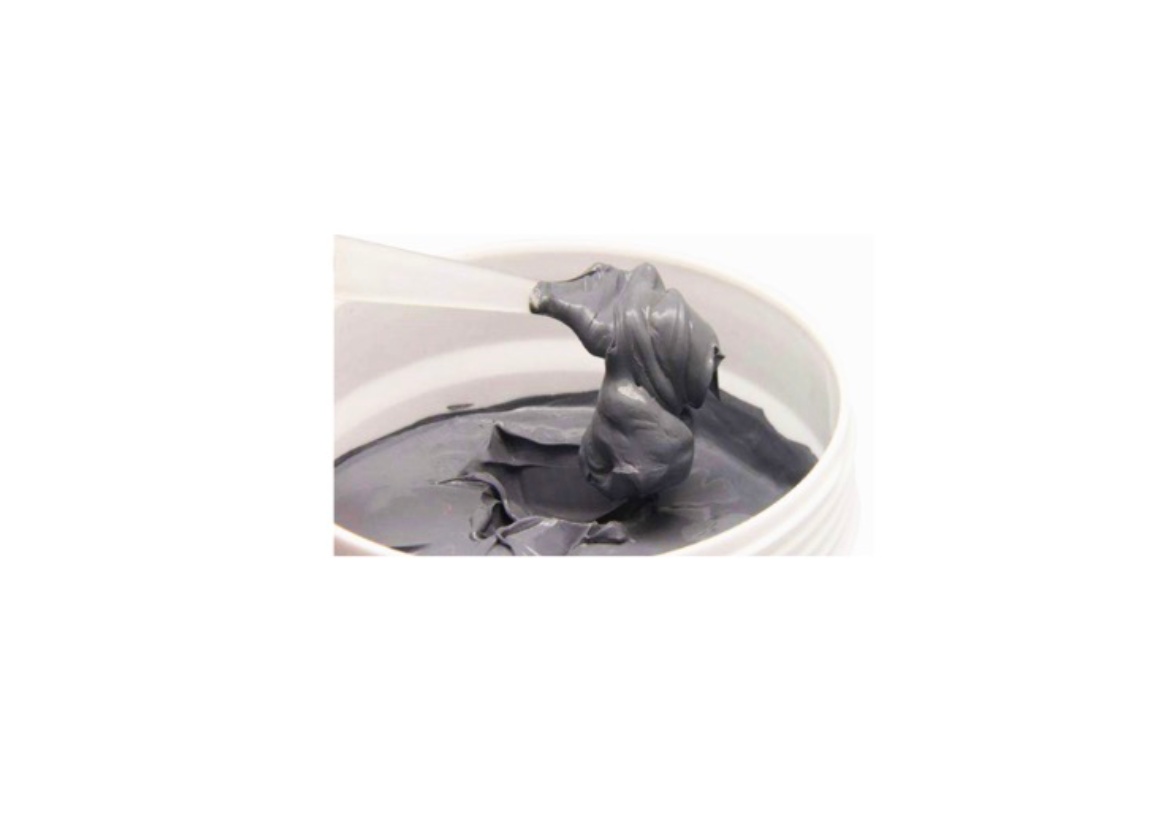
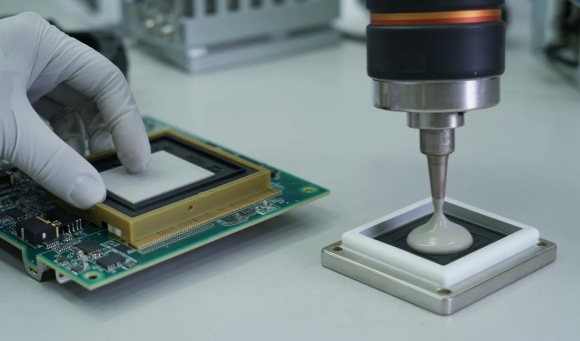
Thermal paste is a type of Thermal Interface Material (TIM), typically supplied in liquid or grease form, designed to improve heat conduction between two solid surfaces—usually a processor and a heat sink.
Although metal plates and chips look smooth to the naked eye, under a microscope, they are full of tiny imperfections and air gaps. These gaps act as insulators, blocking efficient heat transfer. When applied correctly, thermal paste fills in those microscopic spaces, eliminating trapped air and ensuring maximum surface contact.
The result is reduced thermal resistance, faster heat dissipation, and more stable operating temperatures. This simple but critical material is what keeps high-performance electronics running efficiently and reliably.
Tools and Materials Needed
Before applying thermal paste, it is important to prepare the right tools and materials to ensure a clean and efficient process:
Thermal paste – Available in different formulations:
Standard silicone-based pastes for general applications.
High-performance compounds for gaming PCs, servers, and industrial electronics.
Metal-based pastes (e.g., silver or liquid metal) offer superior conductivity but require careful handling.
Ceramic-based pastes for electrically insulating needs.
Cleaning materials – Isopropyl alcohol (90% or higher) and lint-free cloths or wipes are essential for removing old paste without leaving residue.
Applicator tools – Many pastes come with syringe tips for controlled application. A plastic spatula or spreader can also be used to distribute the paste evenly if required.
Target device – The processor and heat sink (or relevant power device and cooling plate) must be ready for reassembly once the paste is applied.
Preparing the Surface
Proper preparation is as important as the application itself. Skipping this step often leads to poor heat transfer and wasted effort.
Power down and disassemble the system safely – Shut off the device, unplug it, and discharge any static electricity before working on sensitive electronics.
Remove old paste completely – Use isopropyl alcohol and a lint-free cloth to clean both the chip and the heat sink. Even small residues of old paste can reduce the effectiveness of the new application.
Ensure surfaces are clean, flat, and dry – After cleaning, double-check that no fibers, dust, or moisture remain on the surfaces. A clean interface maximizes contact and ensures the new thermal paste performs as intended.
Step-by-Step Application Methods
There are several techniques for applying thermal paste. Each has its own advantages depending on the shape of the chip and the user’s preference.
Pea-sized dot method
Apply a small, pea-sized amount of paste in the center of the chip. When the heat sink is mounted, pressure spreads the paste evenly across the surface.Pros: Simple, quick, low risk of over-application.
Cons: Coverage may be incomplete on larger chips.
Line method
Place a thin line of paste along the center of the processor, especially effective for rectangular chips such as CPUs or battery modules.Pros: Ensures coverage along the length of the chip, good for elongated designs.
Cons: Requires careful alignment to prevent uneven spread.
Spread method
Use a spatula or card to spread a thin, uniform layer of paste over the entire chip surface.Pros: Guarantees full coverage, useful for large chips.
Cons: Time-consuming, higher chance of air bubbles if done improperly.
Selecting the right method depends on the device type, paste consistency, and user experience. For most users, the pea or line method offers the best balance of ease and reliability.
Installing the Heat Sink or Cooling Component
Once the paste is applied, proper installation of the heat sink is critical:
Proper alignment – Position the heat sink or cooling plate carefully to avoid smearing the paste unevenly.
Applying even pressure – Secure the heat sink gradually, tightening screws in a cross pattern if available. This ensures the paste spreads uniformly.
Avoid over-tightening – Excessive pressure can push the paste out of the contact area or damage components.
Common Mistakes to Avoid
Using too much or too little paste – Too much creates a mess and increases thermal resistance; too little leaves air gaps.
Trapped air bubbles – Can lead to hotspots and reduced efficiency.
Reusing old paste – Once dried, old paste loses effectiveness and should never be reapplied.
Skipping cleaning – Dust, old residue, or oils from fingers all reduce heat transfer.
Testing and Verifying Efficiency
After reassembly, it’s important to confirm that the thermal paste is working as intended:
Boot the system and monitor temperatures using software tools or hardware sensors.
Compare before-and-after results to see if temperatures have improved.
Reapply if needed if temperatures remain abnormally high, indicating uneven coverage or improper application.
Best Practices for Long-Term Performance
Replace thermal paste periodically – Every 2–3 years for CPUs and GPUs, or sooner if temperatures rise unexpectedly.
Store paste properly – Keep syringes sealed, upright, and away from heat or direct sunlight to prevent drying.
Select the right formulation – Consider the operating environment: high-power electronics may require high-performance or metal-based compounds, while consumer devices may do well with silicone or ceramic pastes.
Conclusion
Applying thermal paste correctly is a small step that makes a big difference in efficiency and reliability. Proper heat transfer extends device lifespan, improves performance, and reduces the risk of overheating.
By following the right application method, avoiding common mistakes, and maintaining best practices, engineers and technicians can ensure consistent results across a wide range of applications. In thermal management, attention to detail always pays off.
FAQ
1. How much thermal paste should I apply?
A small pea-sized amount is usually enough. Too much paste can actually reduce performance.
2. Can I reuse old thermal paste?
No. Once removed, old paste should be cleaned off and replaced with a fresh application.
3. Which application method is best for CPUs vs. GPUs?
For CPUs, the pea or line method is usually sufficient. For larger GPUs, the spread method may ensure more complete coverage.
4. How often should thermal paste be replaced?
Generally every 2–3 years, or whenever overheating issues occur. High-performance systems may require more frequent replacement.
5. What is the difference between ceramic, silicone, and metal-based pastes?
Ceramic: Electrically insulating, stable, suitable for general use.
Silicone-based: Common, affordable, versatile.
Metal-based: High conductivity, excellent performance, but may be electrically conductive and require careful handling.